A short mobile poker study routine you can repeat
A short routine works best when the next action is obvious. Pick one completed hand or one available training scenario, make a few decisions and leave a note that makes the next session easier to start.
Before the timer: choose an available route
Use the download page to find the current public client for your device, or open the web app. Sign in and confirm the exercise is available to your account. Online library and saved-hand features require a connection.
Do not spend the whole study block troubleshooting an unsupported export. Use a built-in example or a supported scenario first. The ten-minute schedule below is a planning suggestion, not a promise about solve time or a built-in challenge feature.
Minutes 0–2: define one question
Choose a single street or recurring decision. Note why it interests you before revealing the result. If you are using a hand history, confirm the action order and select the moment you want to revisit.
Keep the objective small: explain one available action or recognize one repeated mistake. “Master river play” is too broad to evaluate at the end of this block.
Minutes 2–7: make a few decisions
Use an available training scenario and choose actions before viewing feedback. After each decision, compare the displayed strategy and EV information where provided. Pause if you do not understand what the feedback is measuring.
If your chosen route needs a custom solve, keep the first exercise small and supported. When calculation takes longer than your available time, record the setup and return later. Do not lower accuracy silently just to finish on schedule.
Minutes 7–10: leave a useful next step
Write three short lines: the situation, what surprised you, and what you will check next time. Use your own notes if a save feature is unavailable or your account has reached its allowance. Completing a note does not require buying anything.
At your next session, revisit the same question before opening a new topic. Count completed learning sessions, not only app opens. This routine is for study after play; it is not assistance while a hand is in progress.
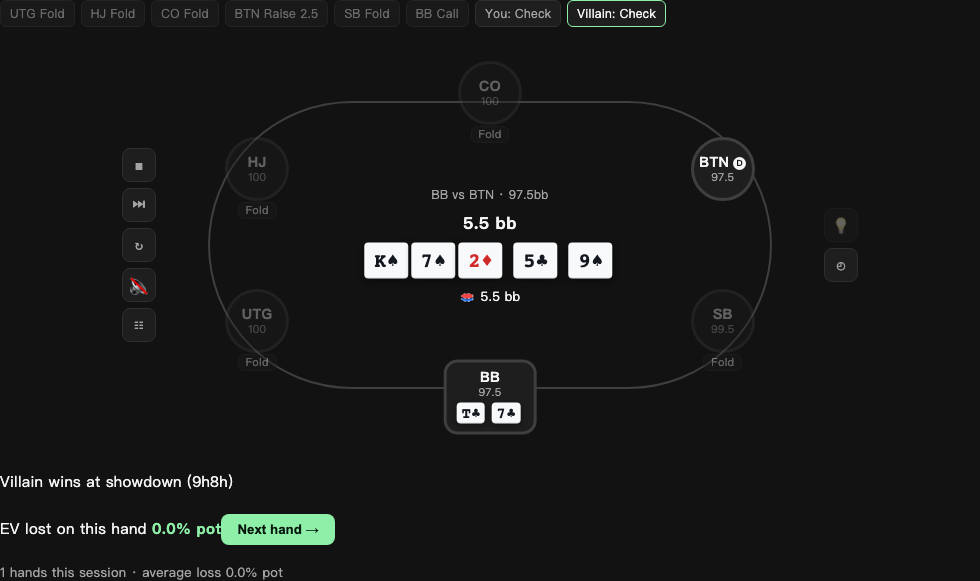
Recorded web interface example. Layouts and available controls can vary by version.