How to import a PokerStars hand history for review
Start with the original text hand history, not a screenshot. Preserve the header, seats, blinds, actions and board so the parser can reconstruct what happened.
1. Choose one complete text hand
Use a text history you already have from your poker client. Client export menus differ by platform and version; this guide starts once the text is available. Begin with one hand so it is easier to locate a format problem.
A PokerStars history begins with a PokerStars hand header. Keep the HOLE CARDS section and the Dealt to line if you want the review to identify Hero. Keep street markers such as FLOP, TURN and RIVER together with their cards.
2. Open the review workflow
Open Viper GTO’s web review area and sign in. Use the text import or paste workflow available there. You can download the synthetic PokerStars sample below first to separate a setup problem from a problem in your own file.
If the sample works and your export does not, compare the structure rather than rewriting the whole hand. Keep an untouched copy. When anonymizing names, replace each name consistently everywhere it appears.
3. Verify the imported action
Check Hero’s cards, blind amounts, button position and starting stacks. Replay the preflop action before examining the flop. In the sample, a raise to 3 is a total street contribution of 3, not 3 added on top of the small blind.
After the flop bet and call of 3, the sample turn pot is 12. If your imported action order or pot is inconsistent, stop and fix that first. A polished table animation does not prove that every input is correct.
4. Decide whether the hand is analyzable
Import, replay and solver analysis are different steps. The current web spot-mapping path targets supported heads-up postflop situations; successful text parsing does not promise analysis of every tournament, multiway pot or special format.
Before solving, inspect ranges, stack, pot and available bet sizes. If the mapper cannot support the hand, describe the format and failure stage when you send feedback. You can still learn from replay without inventing a solver grade.
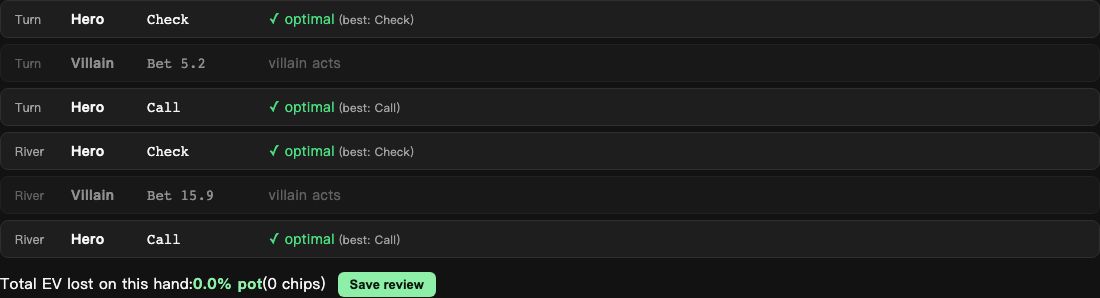
Recorded web interface example. Layouts and available controls can vary by version.