Study the strategy.
Refine your decisions.
Bring together strategy study, focused practice and hand review in your browser. Use ranges, action frequencies and EV to examine your postflop decisions.
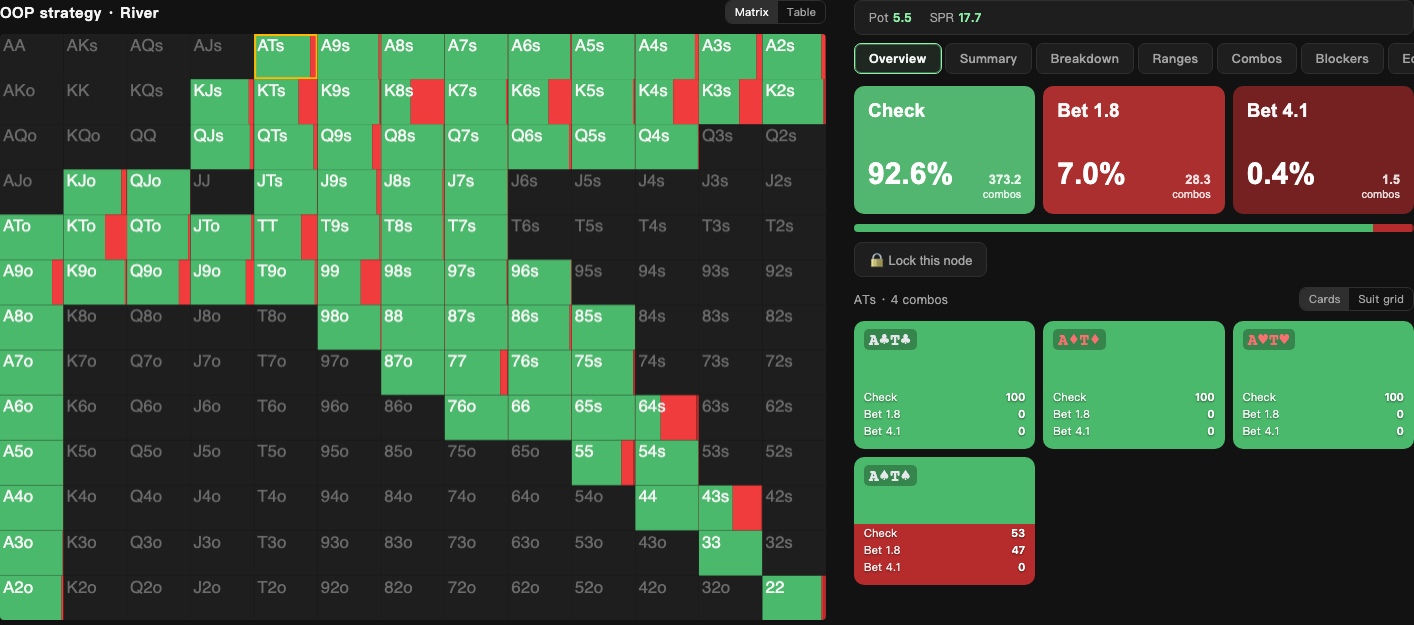
Study strategy
Define ranges, pots and bet sizes. Explore action frequencies and EV, then use nodelocking to study changes in an opponent’s strategy.
Practice with purpose
Train with the solved library or your own spots. Use decision scores to test your understanding and develop a consistent thought process.
Review your hands
Import histories or enter hands manually. Examine EV loss against the configured strategy and identify what to study next.
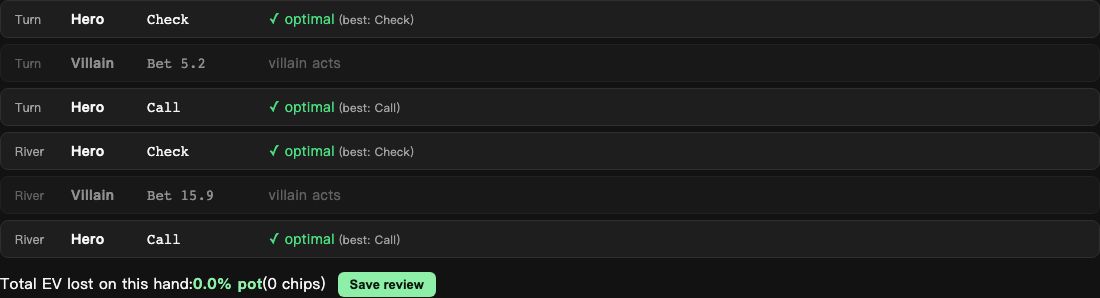
Turn hand histories into study priorities
Import GG or PokerStars text histories, or reconstruct a hand manually. With your chosen ranges and sizes, compare the EV of your actions. Review hands in batches to identify patterns, and ask the AI coach to explain a decision in context.
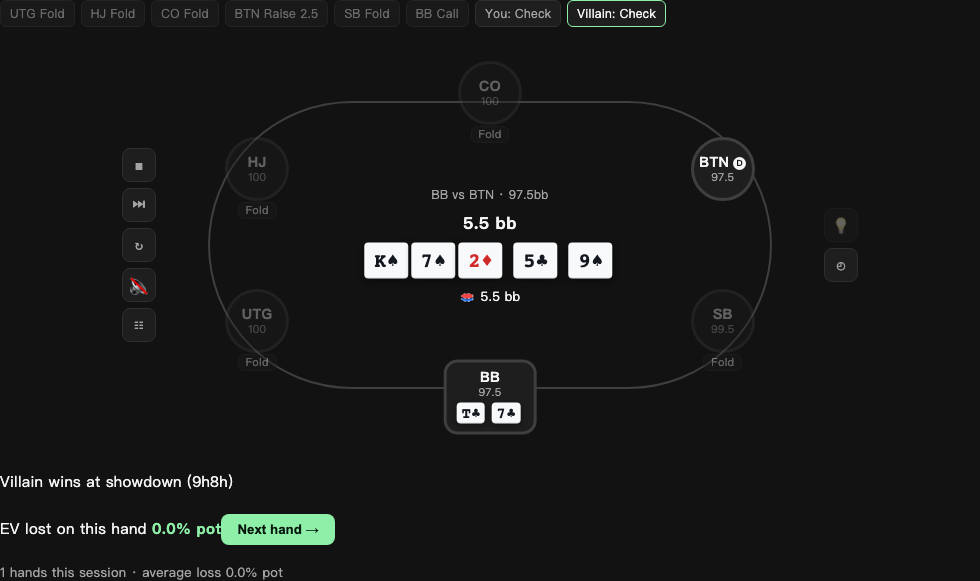
Build understanding through deliberate practice
Choose a library scenario or solve your own spot, then train against the strategy. Use decision scores and EV feedback to compare your options and revisit decisions that need more work.
Enable mistake logging to keep costly training decisions in your local mistake book. Review actions and scores, then select a related spot for further practice.
Define the spot. Explore the strategy.
Set up heads-up postflop spots with custom stacks, pots and bet sizes. Explore nodelocked strategies and equity distributions. Solve time depends on the spot, accuracy and device.
Use ranges, strategy frequencies and EV to study individual decisions. Pro expands strategy study, training, saved reviews and AI coaching.
Start with strategy study. Upgrade when you need more.
- Study boards: 3/day
- Library training: 10 hands/day
- Saved reviews: 10 hands/month
- Available library training and saved reviews: unlimited
- Leak profile: by street
- AI coach: 100 explanations/month
Documented validation. Defined scope.
We check the engine with analytic examples, strategy comparisons and repeatable tests. Each result applies to a specific configuration and version; the validation notes explain the method and its limits.
Read the validation notes →We aligned 580 decision nodes in a turn tree with TexasSolver and evaluated the exported strategy with an independent best-response implementation. Results apply to that test spot.
In a river example with restricted ranges and pot-sized bets, the theoretical IP value is 0.75 times the pot. This is a validation target, not a general accuracy claim.
The September 5, 2026 source validation passed 63 tests covering hand evaluation, suit isomorphism, equilibrium and reproducibility.
Web, iOS and Android use the same Rust core. Compare matching engine versions, spot settings and accuracy. The Android app is on Google Play and the iOS app is on the App Store.
Frequently asked
Anything else — write to hi@vipergto.com
What is a GTO solver?
A GTO solver iteratively approximates an equilibrium for a game defined by ranges, stacks and bet sizes. Frequencies and EV provide a study reference. Results depend on the inputs and solve accuracy; they do not guarantee a hand’s outcome or real-game profits.
How can I study with Viper GTO?
Study a heads-up postflop spot, practice the decisions and review your hand histories to identify what needs more work. Explore strategies, nodelocking and focused practice. Check the app for available library scenarios.
When should I use Viper GTO?
Use it for post-session review and regular practice. Viper GTO does not provide real-time assistance (RTA), read live tables or send advice to poker clients. Follow your platform’s rules on study tools.
Which hand histories are supported?
Import GG and PokerStars text histories, or enter live hands and other formats manually. Before analysis, check positions, stacks, board cards and actions, and confirm the ranges and sizes used for solving.
What does the free plan include?
Access 35 preflop reference charts and study 3 boards per day. Free accounts include 10 library training hands per day, 10 saved reviews per month and 3 AI coach explanations per month. Pro expands library training, saves and coaching, and adds a leak profile by street.
Can I use it on my phone?
The web app works in a mobile browser, and the Android app is available on Google Play. The iOS app is on the App Store. Local solving runs on your device; sign-in, the solved library, cloud saves and AI coaching require an internet connection.